
Patel Gaming Projects
Protagonist: Lock Johnson
Time Duration: 09/01/2024 – 23/04/2024
This process shows how I’ve been creating the main character design for the game project. In terms of the protagonist design being a skilled street thief, I was thinking for a cyberpunk ninja design with some advanced tech either attracted or apart of them.
Research
These are images of characters designs to help me out. The images based on the main characters design being cyberpunk theme d but linking back to a thief design that’s made to look like Japanese ninja in street clothing with some additional sci-fi tech attached on him.


Sketches
Using Adobe Photoshop, I’ve created 5 different sketch prototype designs of the protagonist. Each one shows the character in a thin layered ninja armour; each on has different mask designs, some ninja gauntlet blades on the wrists and/or the legs, and only one sketch has the character wearing a hood. I choose to use the 3rd sketch for my final protagonist sketch.

Final Sketch
This represents my final protagonist sketch from the front & side viewpoints with description on the characters profile.

Modelling Process
I choose to use 3ds max for creating the character model.
1) I started by editing the shape of a body model by using the quick slice tool to create some extra faces, and using the move & rotate tool to reposition some of the lines, pivot points & faces. And I repositioned some the pivots points on the wrist to a hand model I created last year.
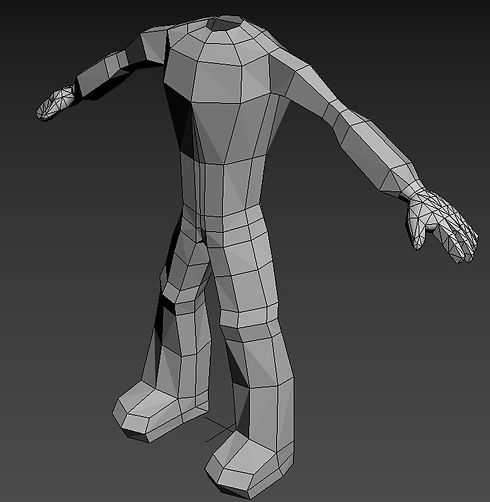

2) Next, I changed the shape of the head model to look more like a faceless mask.
3) I used the quick slice and extrude tool to create a ninja head sash with straps from the back.
.jpg)
.jpg)
4) Then, I used the quick slice, and extrude tool to create the small compartments for the belt.

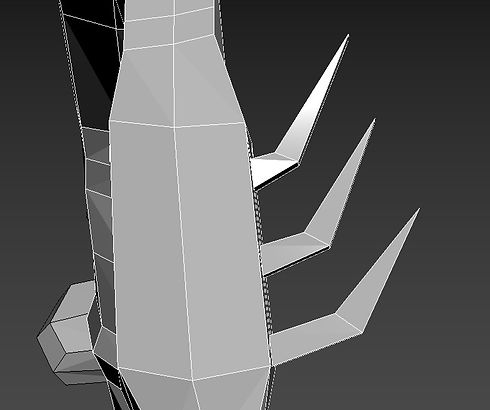
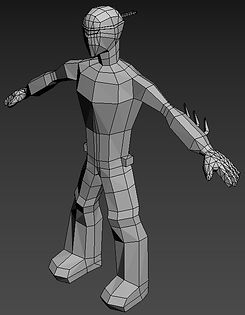
5) I created the ninja gauntlet blades on one side of each wrist from using the quick slice and extrude tool.
.jpg)
6) I used the attach tool to merge each model into one before editing the UV map.
.jpg)
7) Finally, I added a biped skeleton to the character model and edited the envelopes of the model.

Creating Material Maps
I simply just used the Adobe Substance 3D Painter for creating the materials, I was able to solve the problem with exporting the emission map when creating the textures.


Final Model
This is the final model of the Protagonist Character uploaded to my Sketchfab & ArtStation accounts.

Reflection on Asset Process
The improvements towards the protagonist asset:
-
The materials to show that the design is cyberpunk themed & for the design to be shown to be wearing armour
-
Created some animations for the character
-
Not to waste time on creating the assets due to the time duration being long